
Datadog Logs are incredibly powerful. They give you visibility into everything that happens inside your infrastructure, applications, containers, and cloud services. But that same ease of integration comes with a risk: once agents start streaming logs automatically, it becomes very easy to lose control of what is being sent. Most teams end up ingesting far more data than they ever analyze and that is what drives costs to the sky.
Datadog logs has mainly two costs to be considered:
1 – Logs ingested: Every data that you send to Datadog’s platform enters in this cost.
2 – Logs indexed: Every log that you retains. The cost can vary by the amount of days you retain.
Today we will learn 5 tips on how to optimize the logs.
1️⃣ Use indexes and retentions in your favor
Different logs have different requirements and consumption patterns, and indexes can help you tailor your needs based on each type of log you have.
1 – Set an different Retention period for different environments types of data.
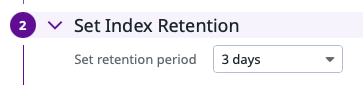
For example, you can create three indexes and configure 3 days of retention for development, 7 days for QA and 15 days for production.
2 – Set daily quotas per indexes. The daily quotas will help you to ensure that you are within your commitment and it will also prevent certain failures from consuming your entire quota. Imagine that: You’ve developed a new code and released to QA, but when testing, someone find a bug that enters in a loop and keep generating logs in loop. If you don’t have a a limit in the indexes, the limit is your credit card 😅
2️⃣ Use samples with Exclusion filters
The biggest mistake teams make is sending everything to Datadog but not all logs are equal or valuable. Some examples of logs you probably don’t want to keep entirely:
- Health checks
- Kubernetes Liveness Probes
- Loadbalancer access logs
- Debug-level application logs
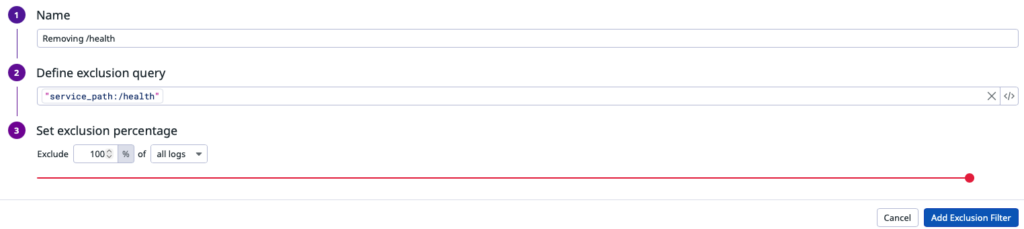
With that in mind, you can configure exclusion filters inside indexes to configure specific rules of sampling and how much % you want to exclude from those logs:
3️⃣ Use metrics instead of logs
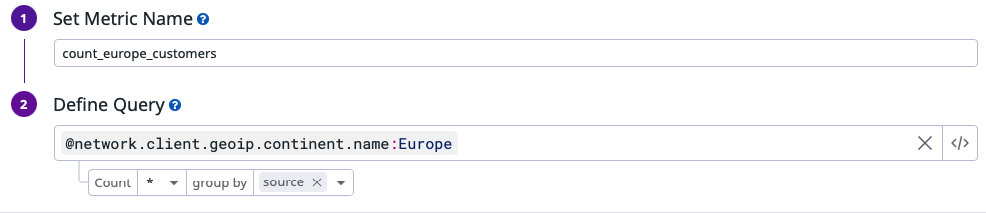
In many cases, logs are not valuable because of their full content, but because of the signal they carry, like a count, a status, a duration, or a trend. and you don’t need every raw log line to track those. You need the metric.
With that in mind, Datadog allows you to generate metriccs directly from logs before indexing it, so you can get the information you need, generate a metric and discard it immediately afterwards.
4️⃣ Discard logs before sending to Datadog
All of the strategies above help reduce indexed log costs, but they do not reduce what you pay for log ingestion. In some cases, you may also want to eliminate that cost by preventing certain logs from being sent to Datadog in the first place.
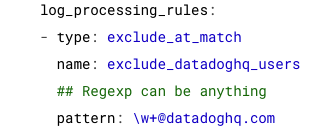
log_processing_rules are executed directly inside the Datadog Agent BEFORE logs are sent to Datadog. It allows you to filter, mask, or drop logs using regular expressions, making it possible to remove entire patterns or noise at the source and reduce ingestion volume before it is even billed.
5️⃣ Don’t keep logs in the platform forever
In many environments you still need to keep logs for regulatory, audit, or compliance reasons. The good news is that Datadog doesn’t force you to keep those logs in expensive hot storage. You can forward them to an external archive such as Amazon S3 or Azure Storage, where they can be retained for long periods at a much lower cost.
And when you need them back, Datadog lets you rehydrate a specific time range or query, temporarily restoring those logs so they can be searched and analyzed again inside the platform.
Conclusion
Optimizing Datadog logs is not about collecting less, it’s about collecting what actually matters. By applying the techniques in this article, you put real governance around your observability data and every log you pay for has a clear purpose and real operational value.
Relevant links:
Leave a Reply